A throwaway address. The code comes to you.
Poof gives you a temporary email address for sign-ups. When the verification code arrives, it is right there in the notification and on your Lock Screen, ready to copy. Then the inbox deletes itself.
Get Poof on the App StoreFree for iPhone. iOS 17 or later.
Your address
Code
482913
See it work
Real captures from the app: copy the address, sign up, and the code is waiting.
-
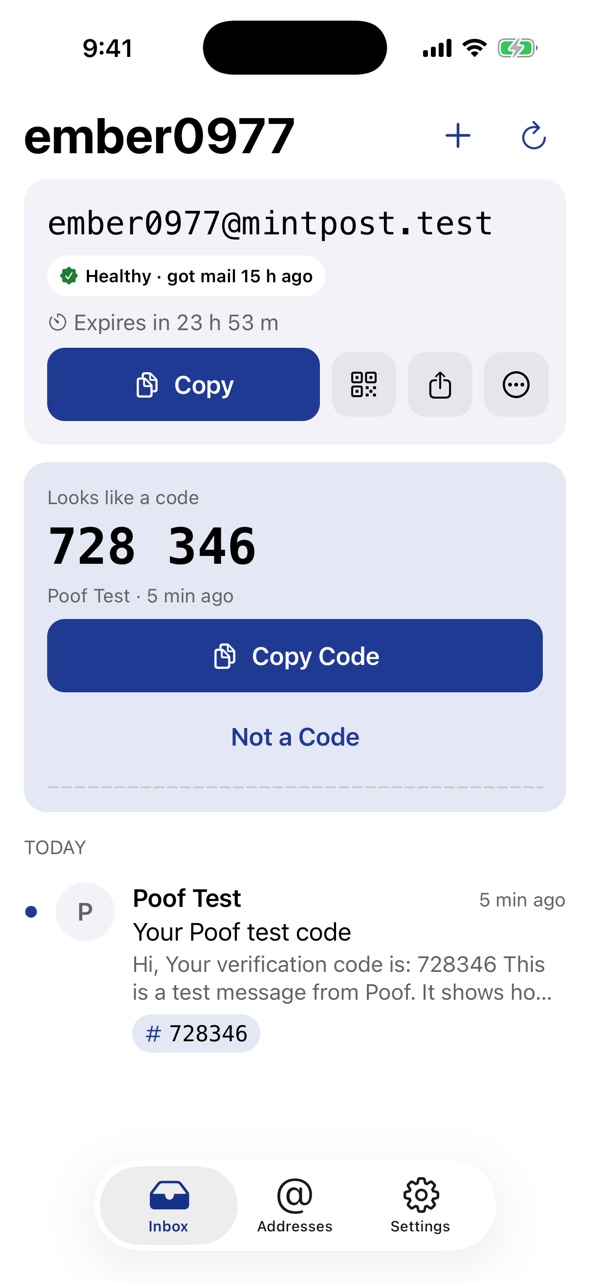
The code, big and ready to copy.
-
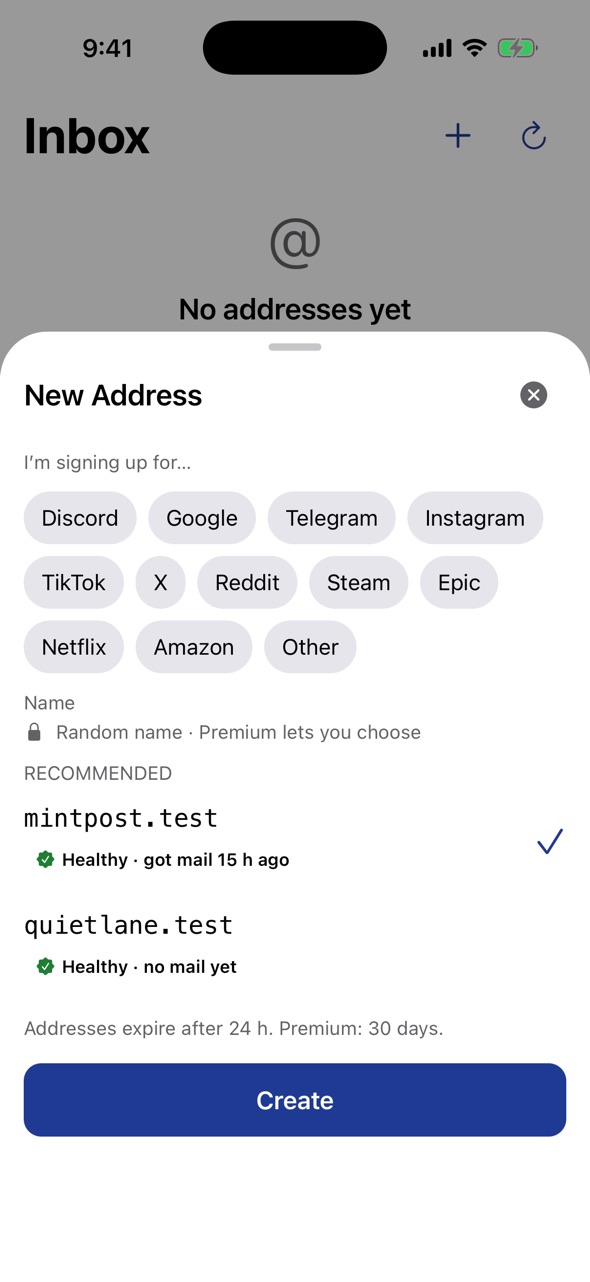
Pick a domain that works for the site.
-
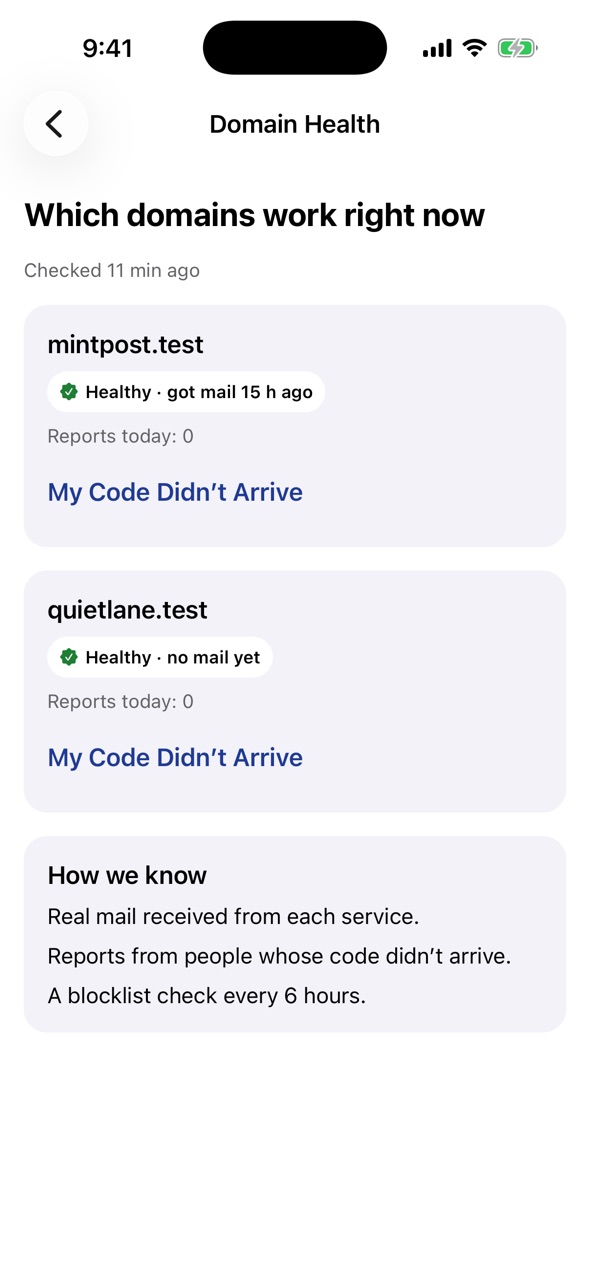
See which domains get mail right now.
- A temporary inbox
- An address receives mail for 24 hours, longer if you extend it, or 30 days with Premium. Then it is deleted with everything in it. Poof only receives mail; it cannot send.
- Codes on the Lock Screen
- Poof finds the code in the message and puts it in the notification, a widget and a Live Activity, with a Copy button.
- Domain health
- See which domains are getting mail through right now and which services they recently worked with, before you sign up.
- No account
- No name, phone number or real email. Open the app and your address is ready. Move inboxes to a new iPhone with iCloud Keychain or a QR code.